
Meet Nixi
Your AI-powered homelab assistant, built on NixOS. Manage servers, containers, and infrastructure through natural conversation. Bring your own LLM. Open source, always.
Your AI-powered homelab assistant, built on NixOS. Manage servers, containers, and infrastructure through natural conversation. Bring your own LLM. Open source, always.
Talk to your NixOS system like you talk to a colleague. Nixi handles the rest.
Works with Ollama, LM Studio, llama.cpp, vLLM, or any OpenAI-compatible API. Your hardware, your models, your data.
Edit configs, rebuild, rollback, manage services and generations - all through natural language.
Deploy containers from GitHub or Docker Hub, manage stacks, parse compose files. GPU passthrough included. Works with Docker or Podman.
Manage multiple NixOS systems from a single controller via SSH. Adopt, configure, and monitor remote nodes.
SQLite-backed memory with full-text search. Nixi remembers context across conversations so you don't repeat yourself.
NVIDIA and AMD detection, driver management, ROCm/CUDA setup, and GPU passthrough to containers.
DNS, firewall, port scanning, NFS/SMB/USB mounts - full network diagnostics and storage management.
Confirmations for all mutations. Warnings for insecure requests. Scoped file access. You stay in control.
Create systemd timers, analyze journal logs by unit, priority, or time range. Automate and debug with ease.

NixOS is the natural choice for an AI-managed server. Here's why it fits so well.
Your entire system is defined in config files. An AI agent doesn't need to guess what state your server is in - it can just read the config and know exactly what's running, what's installed, and how everything fits together.
Every change in NixOS creates a new generation. If an agent makes a mistake, you roll back in seconds. No half-applied updates, no broken state. Try doing that with apt or yum.
The same config produces the same system, every time. When Nixi manages multiple nodes, it can apply identical configurations across your fleet without worrying about drift or snowflake servers.
Traditional package managers make permanent changes that are hard to undo. NixOS builds the new system alongside the old one and switches atomically. That makes it safe to let an agent handle rebuilds without babysitting.
Full-featured TUI for the terminal or a web interface you can access from any browser. Both with complete feature parity.
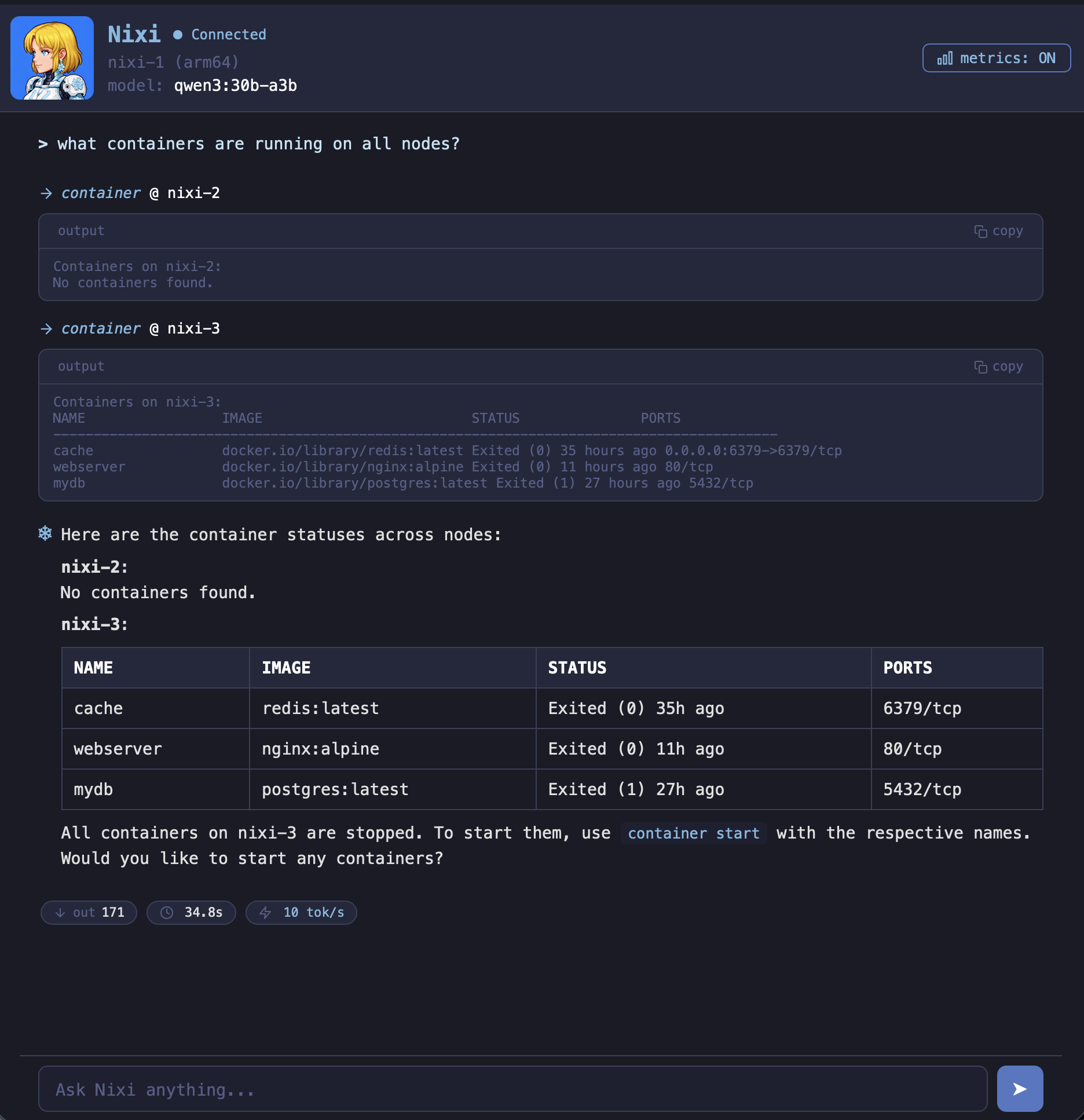
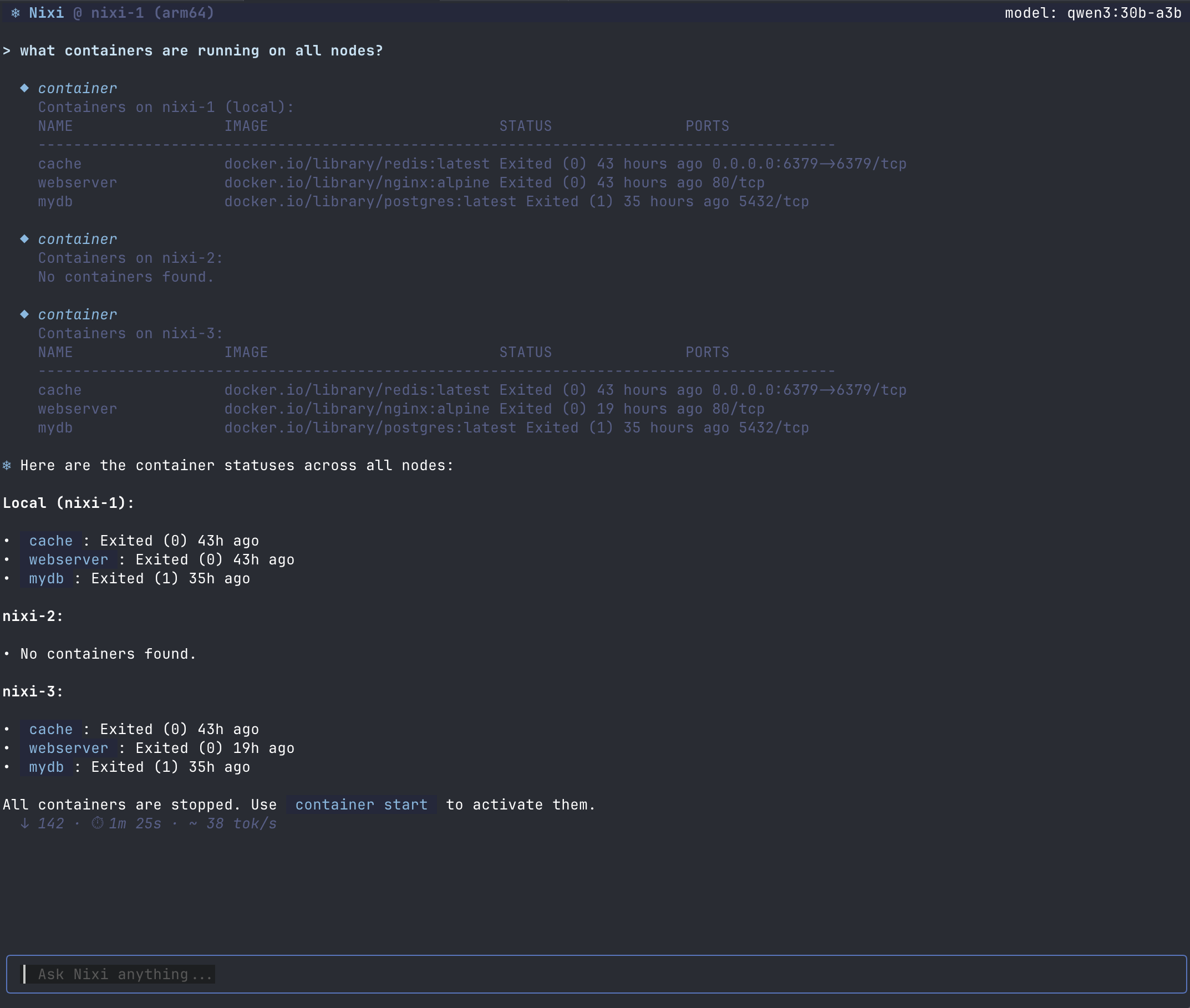
Install Nixi in seconds. Choose the method that works best for you.
The fastest way to get started. Downloads and installs the latest release.
curl -sSL https://www.nixi.sh/install | bashClone the repository and build from source. Requires Go 1.26+.
git clone https://codeberg.org/ewrogers/nixi.git
cd nixi
go build -o nixi ./cmd/nixi
Add Nixi as a flake input for declarative NixOS installs.
# Add to your flake inputs
{
  inputs.nixi.url =
    "git+https://codeberg.org/ewrogers/nixi";
}
Supported platforms
Whether you prefer the terminal or a browser, Nixi has you covered.
Rich TUI powered by Bubble Tea
./nixiSlash commands work in both interfaces:
Access from any browser on your network
./nixi serveThen open your browser to:
http://localhost:6494Full feature parity with the TUI: streaming responses, slash commands, confirmations, and multi-node support.
Free and open source under AGPL-3.0. Your system, your LLM, your rules.
 View on Codeberg